
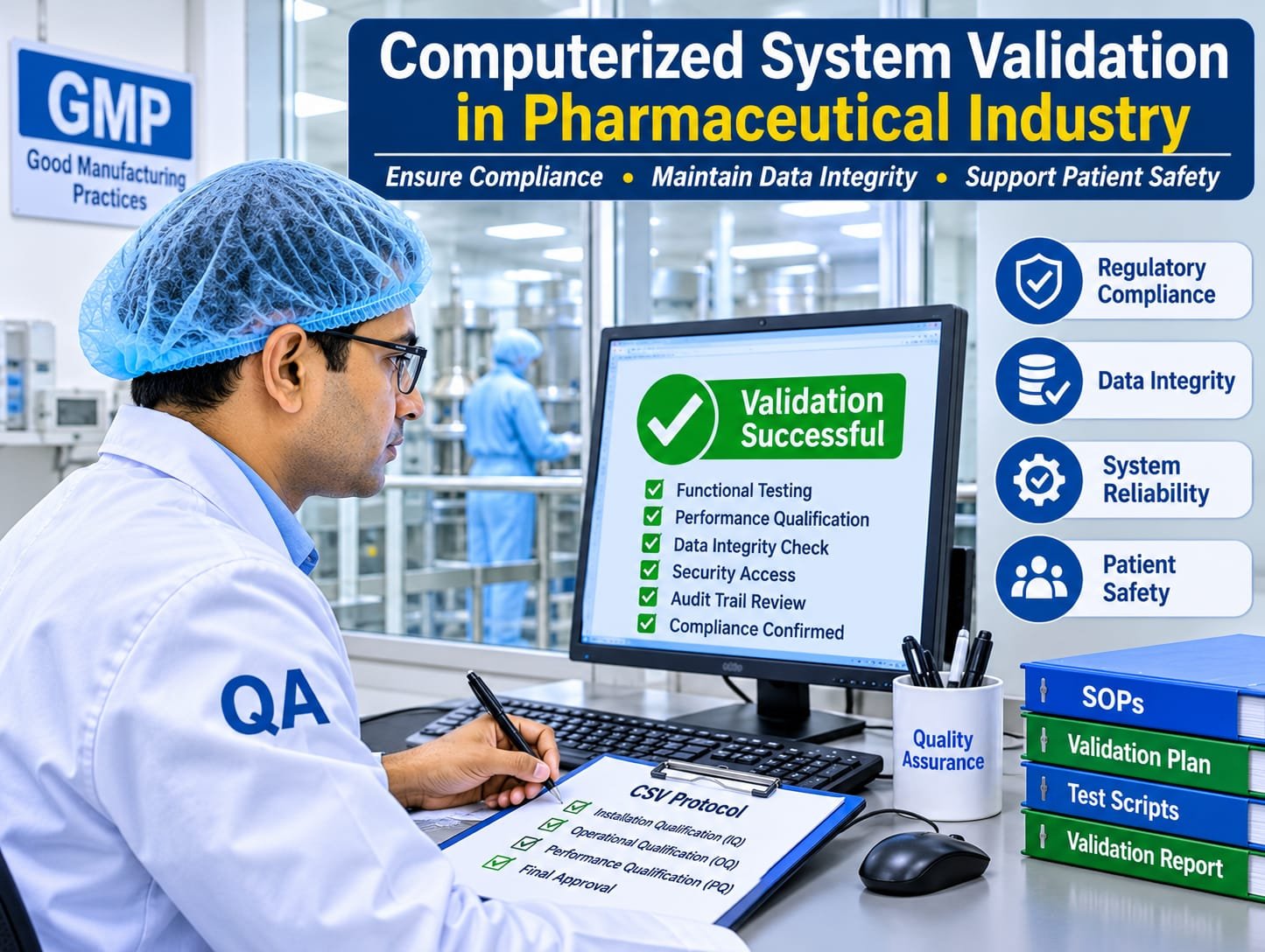
Computer System Validation (CSV) in Pharma: Complete Guide to Principles, Process, Regulatory Requirements and Compliance
Computer System Validation (CSV) is an essential component of pharmaceutical quality assurance. It provides documented evidence that computerized systems used in pharmaceutical manufacturing, quality control, quality assurance and other GMP-regulated activities are suitable for their intended purpose and consistently perform as expected.
With the increasing use of digital technologies, pharmaceutical companies depend on computerized systems such as Laboratory Information Management Systems (LIMS), Manufacturing Execution Systems (MES), Enterprise Resource Planning (ERP), Electronic Batch Manufacturing Records (eBMR), Chromatography Data Systems (CDS) and Quality Management Systems (QMS).
However, computerized systems also introduce potential risks related to unauthorized access, incorrect data processing, data manipulation, system failures and loss of critical records.
Computer System Validation helps pharmaceutical organizations control these risks, maintain data integrity, ensure regulatory compliance and protect product quality and patient safety.
In simple terms: Computer System Validation demonstrates that a computerized system does what it is supposed to do, accurately, consistently, securely and in compliance with applicable regulatory requirements.
1. What Is Computer System Validation (CSV)?
Computer System Validation is a systematic and documented process that establishes a high degree of assurance that a computerized system is suitable for its intended purpose and consistently performs according to predefined requirements.
The validation process ensures that:
- The system meets predefined user requirements.
- Software functions operate as expected.
- Electronic data are accurate, complete, consistent and reliable.
- Access to the system is controlled.
- Electronic records are protected against unauthorized modification or deletion.
- Audit trails are appropriately implemented.
- System failures are detected and managed.
- The system remains in a validated state throughout its operational lifecycle.
Example of CSV in Pharmaceutical Manufacturing
Consider an Electronic Batch Manufacturing Record (eBMR) system used for tablet manufacturing.
The system is designed to record:
- Raw material dispensing details.
- Equipment identification.
- Manufacturing process parameters.
- In-process quality control results.
- Operator activities.
- Batch reconciliation details.
- Quality assurance approvals.
During CSV, the organization verifies that the system correctly captures the required information, applies appropriate access controls, maintains audit trails, calculates values accurately and prevents unauthorized changes.
2. Objectives of Computer System Validation
The primary objective of CSV is to ensure that computerized systems are reliable, secure, accurate and compliant with applicable GMP requirements.
- Regulatory compliance: Ensure compliance with applicable FDA, EU GMP and other regulatory requirements.
- Data integrity: Maintain accurate, complete, consistent and reliable electronic records.
- Product quality: Ensure computerized systems do not adversely affect product quality.
- Patient safety: Prevent errors that could affect the safety, identity, strength, quality and purity of pharmaceutical products.
- System reliability: Confirm that systems operate consistently according to approved specifications.
- Security: Prevent unauthorized access, modification, deletion or misuse of electronic records.
- Traceability: Maintain appropriate audit trails and records of system activities.
- Business continuity: Ensure critical systems can recover from unexpected failures.
3. Regulatory Requirements for Computer System Validation
Computer System Validation in the pharmaceutical industry is governed by several regulatory requirements and industry guidance documents. Their applicability depends on the system’s intended use, the records it manages and the markets in which the organization operates.
3.1 FDA 21 CFR Part 11 – Electronic Records and Electronic Signatures
The US FDA introduced 21 CFR Part 11 to establish criteria under which electronic records and electronic signatures can be considered trustworthy, reliable and equivalent to paper records and handwritten signatures.
Important requirements include:
- System validation.
- Authorized system access.
- Operational and authority checks.
- Secure electronic records.
- Audit trail controls.
- Electronic signature controls.
- Record protection and retention.
- Appropriate system documentation.
| Section | Description |
|---|---|
| 21 CFR 11.10 | Controls for closed systems |
| 21 CFR 11.30 | Controls for open systems |
| 21 CFR 11.50 | Signature manifestations |
| 21 CFR 11.70 | Signature and record linking |
| 21 CFR 11.100 | General requirements for electronic signatures |
| 21 CFR 11.200 | Electronic signature components and controls |
| 21 CFR 11.300 | Controls for identification codes and passwords |
Important: FDA’s September 2003 Part 11 Scope and Application guidance describes enforcement discretion for certain specified Part 11 requirements. This does not eliminate the obligation to comply with applicable underlying GMP and predicate-rule requirements.
Reference: FDA 21 CFR Part 11.
3.2 EU GMP Annex 11 – Computerised Systems
EU GMP Annex 11 provides guidance on the use and management of computerized systems in GMP-regulated activities.
Important expectations include:
- Validation of computerized applications.
- Qualification of IT infrastructure.
- Risk management throughout the system lifecycle.
- Supplier assessment and control.
- Data protection against unauthorized changes.
- Appropriate audit trail implementation and review.
- Controlled system changes.
- Periodic system evaluations.
- Backup and business continuity arrangements.
- Electronic signature controls.
Regulatory update: The European Commission published proposed revisions to GMP Chapter 4 and Annex 11, together with a proposed new Annex 22 on Artificial Intelligence, for consultation on 7 July 2025. The consultation closed on 7 October 2025. Proposed revisions should not be confused with currently applicable requirements until formally adopted and brought into operation.
Reference: EU GMP Guidelines – EudraLex Volume 4.
3.3 EU GMP Chapter 4 – Documentation
EU GMP Chapter 4 establishes expectations for documentation used in pharmaceutical manufacturing and quality control.
For computerized systems, documentation controls are important to ensure:
- Availability of electronic records.
- Appropriate record retention.
- Traceability of activities.
- Controlled electronic documentation.
- Protection of original data.
- Appropriate review and approval.
- Data integrity throughout the record lifecycle.
3.4 ICH Q9 – Quality Risk Management
ICH Q9 provides principles and tools for quality risk management.
It is particularly important in CSV because the validation strategy should be based on the potential impact of computerized systems on patient safety, product quality, data integrity and regulatory compliance.
Reference: ICH Quality Guidelines.
3.5 GAMP 5 – A Risk-Based Approach to Compliant GxP Computerized Systems
The ISPE GAMP 5 Guide provides an industry-recognized framework for developing, implementing, validating and maintaining computerized systems used in regulated environments.
It promotes:
- Lifecycle-based validation.
- Risk-based approaches.
- Supplier involvement.
- Requirements traceability.
- Scalable documentation.
- Verification based on intended use.
- Maintenance of the validated state.
GAMP 5 is an industry good-practice guide, not a regulation.
4. Difference Between CSV and CSA
Computer System Validation and Computer Software Assurance are related concepts, but their regulatory contexts should be understood.
| Parameter | CSV | CSA |
|---|---|---|
| Full form | Computer System Validation | Computer Software Assurance |
| Primary application | GxP computerized systems | Medical device production and quality management software |
| Objective | Demonstrate fitness for intended use | Establish confidence that software performs as intended |
| Approach | Lifecycle and risk-based validation | Risk-based assurance |
| Guidance | GAMP 5 | FDA CSA guidance |
The FDA Computer Software Assurance guidance addresses software used in medical device production and quality management systems. It should not be treated as a blanket replacement for pharmaceutical GMP CSV requirements.
5. Types of Computerized Systems Used in the Pharmaceutical Industry
Several computerized systems are used in pharmaceutical manufacturing, quality assurance, quality control, engineering and regulatory operations.
| Computerized System | Application |
|---|---|
| LIMS | Laboratory sample management and test results |
| QMS | Deviations, CAPA, change control and complaints |
| ERP / SAP | Material management, inventory and production planning |
| MES | Manufacturing execution and process monitoring |
| eBMR / eBPR | Electronic batch manufacturing and packaging records |
| CDS | Chromatography data acquisition and processing |
| SCADA | Supervisory control and data acquisition |
| BMS | Building management and environmental monitoring |
| EMS | Environmental monitoring systems |
| DMS | Document management |
| LMS | Training management |
| WMS | Warehouse management |
| Serialization Systems | Product serialization, aggregation and traceability |
| Weighing and Dispensing Systems | Material weighing and dispensing records |
| Stability Management Systems | Stability study and sample management |
Not every computer application requires the same level of validation. Organizations should assess whether the system performs a GxP function, manages regulated records or can impact product quality, patient safety or data integrity.
6. Computer System Validation Lifecycle
CSV is a lifecycle-based activity that starts with system identification and continues until system retirement.
The major stages include:
- System identification and classification.
- Validation planning.
- User Requirements Specification (URS).
- Functional and design specifications.
- Supplier assessment.
- Risk assessment.
- Installation Qualification (IQ).
- Operational Qualification (OQ).
- Performance Qualification (PQ).
- Traceability and validation review.
- Validation summary report and release.
- Periodic review and continued validation.
- Change control and system retirement.
6.1 System Identification and Classification
The first step is to identify all computerized systems used in GMP-regulated operations.
Prepare a computerized system inventory containing:
- System name and identification number.
- Software name and version.
- Hardware details.
- System owner.
- Process owner.
- Supplier details.
- Intended purpose.
- GMP impact.
- System criticality.
- Validation status.
System classification should be justified and documented based on its intended use and potential impact on regulated operations.
6.2 Validation Master Plan / CSV Validation Plan
A validation plan defines the strategy, responsibilities, scope and activities required to validate a computerized system.
It generally includes:
- System overview and scope.
- System classification.
- Regulatory requirements.
- Validation approach.
- Roles and responsibilities.
- Risk assessment strategy.
- Testing strategy.
- Acceptance criteria.
- Documentation requirements.
- Deviation management.
- Change control.
- Validation deliverables.
6.3 User Requirements Specification (URS)
The User Requirements Specification is one of the most important documents in CSV. It describes what the computerized system is expected to do from the user’s perspective.
URS requirements should be clear, measurable, testable and traceable.
Example: URS for an electronic Quality Management System
| URS ID | User Requirement |
|---|---|
| URS-001 | The system shall provide unique user identification. |
| URS-002 | The system shall restrict access based on assigned roles. |
| URS-003 | The system shall maintain audit trails for applicable GMP records. |
| URS-004 | The system shall capture electronic signatures. |
| URS-005 | The system shall maintain date and time stamps. |
| URS-006 | The system shall support deviation initiation and investigation. |
| URS-007 | The system shall support CAPA assignment and tracking. |
| URS-008 | The system shall provide controlled workflow approvals. |
| URS-009 | The system shall maintain historical records. |
| URS-010 | The system shall provide appropriate reporting functionality. |
6.4 Functional Specification (FS)
The Functional Specification describes how the system will fulfil the requirements defined in the URS.
It provides details about:
- Software functionality.
- User roles.
- System workflows.
- Data entry and processing.
- Electronic signatures.
- Audit trail functionality.
- Reporting.
- System interfaces.
- Error handling.
- Security controls.
6.5 Design Specification (DS)
The Design Specification describes the technical design of the system.
It may include:
- Software architecture.
- Database structure.
- Hardware configuration.
- Network architecture.
- System interfaces.
- Data flow diagrams.
- Security architecture.
- Backup configuration.
6.6 Supplier Assessment
Supplier assessment is important when purchasing or implementing computerized systems from external vendors.
The assessment may include:
- Supplier questionnaire.
- Quality management system assessment.
- Software development lifecycle assessment.
- Change management procedures.
- Software testing procedures.
- Security management.
- Incident management.
- Backup and disaster recovery.
- Supplier audit, where justified.
- Service Level Agreement (SLA).
- Technical support arrangements.
The pharmaceutical company remains responsible for ensuring that the computerized system is suitable for its intended GMP use, even when validation activities are supported by an external supplier.
6.7 Risk Assessment
Risk assessment is a critical component of CSV. It identifies potential failures that could affect product quality, patient safety and data integrity.
Common risk assessment approaches include:
- Failure Mode and Effects Analysis (FMEA).
- Failure Mode, Effects and Criticality Analysis (FMECA).
- Hazard Analysis.
- Risk Ranking and Filtering.
Example of CSV risk assessment for an HPLC system:
| Function | Potential Failure | Risk | Control |
|---|---|---|---|
| User access | Unauthorized access | High | Role-based access control |
| Data acquisition | Incorrect data acquisition | High | Appropriate system testing |
| Audit trail | Audit trail disabled or unavailable | High | Configuration verification and review |
| Data processing | Incorrect calculation | High | Calculation verification |
| Backup | Loss of analytical data | High | Backup and restoration testing |
| Reporting | Incorrect report generation | Medium/High | Report verification |
Risk levels should be assigned using an approved risk assessment procedure. Risk assessment results should determine the extent of validation, testing, documentation and controls required.
7. Installation Qualification (IQ), Operational Qualification (OQ) and Performance Qualification (PQ)
IQ, OQ and PQ are commonly used qualification stages within computerized system validation. Their scope and depth should be appropriate to system architecture, intended use and risk.
7.1 Installation Qualification (IQ)
Installation Qualification verifies and documents that the computerized system and its supporting infrastructure have been installed according to approved specifications.
Typical IQ verification points:
- Verification of hardware installation.
- Verification of software installation.
- Verification of software version.
- Verification of operating system.
- Verification of database installation.
- Verification of network connectivity.
- Verification of system configuration.
- Verification of installation documentation.
- Verification of system identification.
- Verification of environmental requirements.
Example: IQ checklist for a computerized HPLC system
| Sr. No. | Verification Point | Acceptance Criteria |
|---|---|---|
| 1 | Instrument identification | Matches approved equipment details |
| 2 | Software installation | Installed software matches approved version |
| 3 | Operating system | Approved operating system installed |
| 4 | Database installation | Correct database configuration |
| 5 | Network connection | Required connectivity established |
| 6 | User account | Authorized administrator account available |
| 7 | Installation documents | Available and reviewed |
| 8 | Backup configuration | Approved backup arrangement established |
7.2 Operational Qualification (OQ)
Operational Qualification demonstrates that the computerized system operates according to predefined functional and operational requirements.
Typical OQ testing points:
- User login and logout.
- Password management.
- User role management.
- Access restrictions.
- System configuration.
- Electronic signatures.
- Audit trail functionality.
- Data entry and modification.
- Data processing and calculations.
- Report generation.
- Error handling.
- System alarms.
- Date and time synchronization.
- Backup functionality, where applicable.
- Interface functionality.
Example: OQ test case for user access control
| Test Step | Expected Result |
|---|---|
| Login using authorized credentials | System allows access |
| Login using incorrect password | System rejects access |
| Attempt access to restricted function | System denies access |
| Change user role through authorized administration | Approved change is recorded |
| Attempt login using disabled account | System rejects access |
Each test case should contain a test case ID, test objective, prerequisites, test procedure, expected result, actual result, pass/fail status, tester details and reviewer approval.
7.3 Performance Qualification (PQ)
Performance Qualification demonstrates that the computerized system performs effectively under actual or representative operating conditions.
Typical PQ activities:
- Execution of representative business workflows.
- Verification of routine manufacturing operations.
- Verification of laboratory testing workflows.
- Verification of batch record generation.
- Verification of electronic approval processes.
- Verification of data review and reporting.
- Verification of user activities.
- Verification of interfaces with other systems.
Example: PQ for an electronic batch manufacturing record system
A PQ exercise may involve execution of a representative tablet manufacturing batch through the eBMR system.
- Batch creation and product selection.
- Raw material dispensing record generation.
- Equipment identification.
- Manufacturing process parameter entry.
- In-process quality control recording.
- Operator and supervisor approvals.
- QA review and approval.
- Electronic batch record generation.
- Retrieval of historical batch records.
Important: IQ, OQ and PQ are commonly used qualification terms, but regulations do not require every computerized system to follow an identical three-stage testing model. The validation approach should be justified through risk assessment.
8. Traceability Matrix in Computer System Validation
A Requirements Traceability Matrix (RTM) establishes a documented relationship between user requirements, functional specifications, risk assessments and verification activities.
It ensures that critical requirements are adequately tested and that no important functionality is overlooked.
| URS ID | Requirement | Risk | Test Case ID | Result |
|---|---|---|---|---|
| URS-001 | Unique user login | High | OQ-001 | Pass |
| URS-002 | Role-based access | High | OQ-002 | Pass |
| URS-003 | Audit trail | High | OQ-003 | Pass |
| URS-004 | Electronic signature | High | OQ-004 | Pass |
| URS-005 | Report generation | Medium | OQ-005 | Pass |
| URS-006 | Data backup | High | OQ-006 | Pass |
The RTM should provide traceability from requirements to test evidence and should be updated when requirements or system configurations change.
9. Validation Documentation Required for CSV
Documentation is a fundamental component of Computer System Validation. All validation activities should be supported by approved documents and objective evidence.
| Sr. No. | Document | Purpose |
|---|---|---|
| 1 | Computerized System Inventory | Identification of computerized systems |
| 2 | Validation Plan | Defines validation strategy and scope |
| 3 | System Impact Assessment | Evaluates GMP relevance |
| 4 | Supplier Assessment | Evaluates supplier suitability |
| 5 | User Requirements Specification | Defines user requirements |
| 6 | Functional Specification | Describes system functionality |
| 7 | Design Specification | Describes technical design |
| 8 | Risk Assessment | Identifies and evaluates system risks |
| 9 | IQ Protocol and Report | Documents installation verification |
| 10 | OQ Protocol and Report | Documents operational testing |
| 11 | PQ Protocol and Report | Documents performance verification |
| 12 | Requirements Traceability Matrix | Establishes requirements-to-test traceability |
| 13 | Deviation Reports | Documents validation discrepancies |
| 14 | Change Control Records | Documents controlled changes |
| 15 | Validation Summary Report | Summarizes validation outcomes |
| 16 | SOPs | Defines system operation and controls |
| 17 | Training Records | Documents user training |
| 18 | Periodic Review Reports | Demonstrates continued validated state |
The documentation package should be reviewed and approved by authorized personnel before the system is released for routine GMP use.
10. Data Integrity Requirements in Computer System Validation
Data integrity is one of the most important considerations in pharmaceutical CSV.
A computerized system should ensure that electronic records remain accurate, complete, consistent, attributable and available throughout their lifecycle.
ALCOA+ Principles
| Principle | Meaning | Pharmaceutical Example |
|---|---|---|
| Attributable | Data should identify who performed an activity | Unique user ID |
| Legible | Data should be readable | Readable electronic records |
| Contemporaneous | Data should be recorded when the activity occurs | Real-time data entry |
| Original | Original records or verified true copies should be maintained | Original analytical data |
| Accurate | Data should be correct | Verified calculations |
| Complete | All relevant data should be available | Raw data and metadata |
| Consistent | Data should follow a logical sequence | Date and time sequence |
| Enduring | Records should remain preserved | Secure electronic storage |
| Available | Records should be retrievable when required | Inspection-ready records |
Important Data Integrity Controls
1. Unique User Identification: Every user should have an individual user account. Shared accounts should not be used for GMP activities requiring individual accountability.
2. Audit Trail: Audit trails should capture relevant GMP data creation, modification and deletion activities, as appropriate to system functionality and risk.
3. Electronic Signatures: Electronic signatures should be appropriately linked to the corresponding electronic records.
4. Access Control: Users should receive access according to their assigned responsibilities.
5. Backup and Restoration: Backup procedures should be established, and restoration capability should be verified periodically.
6. Data Retention: Electronic records should remain accessible and readable throughout the required retention period.
7. Time Synchronization: System clocks should be appropriately controlled to maintain reliable timestamps.
8. Data Review: Relevant electronic records, including audit trails, should be reviewed according to approved procedures and risk.
11. Audit Trail Review in Computerized Systems
An audit trail is a secure, computer-generated record that provides information about activities performed within a computerized system.
Depending on the system, audit trails may capture:
- User identification.
- Date and time of activity.
- Original data.
- Modified data.
- Reason for modification, where required.
- Data deletion activities.
- Electronic approvals.
- Configuration changes.
- User access changes.
Example of an Audit Trail Entry
| Date and Time | User ID | Activity | Previous Value | New Value |
|---|---|---|---|---|
| 17-Nov-2026 10:15 | QA001 | Modified test result | 98.5 | 99.0 |
| 17-Nov-2026 10:18 | QA002 | Approved result | Pending | Approved |
| 17-Nov-2026 10:25 | ADMIN01 | Modified user role | Analyst | Supervisor |
Illustrative example only.
Audit Trail Review Responsibilities
Audit trail review should be performed by authorized and appropriately trained personnel.
The review should consider:
- Unusual data modifications.
- Deleted or repeated records.
- Changes to critical parameters.
- Unauthorized access attempts.
- Changes made after approval.
- Unusual user activities.
- Changes to system configurations.
- Unexplained data processing activities.
Audit trail review frequency and scope should be established through a documented risk assessment and approved SOP.
12. Change Control Management in Computerized Systems
Computerized systems undergo changes during their operational lifecycle.
Changes may be required because of:
- Software upgrades.
- Security patches.
- Operating system upgrades.
- Database upgrades.
- Hardware replacement.
- Configuration changes.
- New functionality.
- Interface modifications.
- User role modifications.
- Regulatory changes.
All changes that may affect the validated state should be evaluated through an approved change control procedure.
CSV Change Control Process
- Initiation of change request.
- Description of proposed change.
- Assessment of GMP impact.
- Assessment of data integrity impact.
- Risk assessment.
- Identification of required testing.
- Approval by relevant departments.
- Implementation of approved change.
- Verification and testing.
- Documentation and closure.
Example: If an organization upgrades its validated QMS software from Version 5.0 to Version 6.0, the change control should evaluate the impact on existing workflows, historical data, electronic signatures, audit trails, integrations, reports and security settings.
Appropriate regression testing should be performed based on identified risks.
13. Periodic Review of Computerized Systems
Periodic review is performed to verify that computerized systems remain suitable for their intended purpose and continue to operate in a validated state.
It is an important component of the operational lifecycle.
| Review Parameter | Verification Activity |
|---|---|
| System configuration | Verify approved configuration |
| User access | Review active users and access privileges |
| Audit trails | Review audit trail controls and review records |
| Change control | Verify approved system changes |
| Deviations | Review system-related deviations |
| Incidents | Review system failures and incidents |
| Backup | Verify backup records and restoration testing |
| Security | Review security controls |
| Software version | Verify approved software version |
| Training | Verify user training status |
| Validation status | Review validation documentation |
| Supplier support | Review supplier and service performance |
Periodic review frequency should be justified through risk assessment and organizational procedures. Critical GMP systems may require more frequent review than low-risk systems.
14. Backup, Disaster Recovery and Business Continuity
Pharmaceutical computerized systems may contain critical manufacturing, laboratory and quality records. Therefore, backup and disaster recovery arrangements are essential to maintain business continuity and protect GMP data.
Backup Requirements
Organizations should establish procedures for:
- Backup frequency.
- Backup scope.
- Backup storage location.
- Backup access control.
- Backup integrity verification.
- Restoration testing.
- Backup monitoring.
- Backup retention.
- Disaster recovery.
Disaster Recovery Testing
Disaster recovery testing should demonstrate that critical computerized systems and their associated data can be restored within predefined recovery objectives.
Important parameters include:
- Recovery Time Objective (RTO).
- Recovery Point Objective (RPO).
- Data restoration capability.
- Application availability.
- Database integrity.
- Network availability.
- Business continuity arrangements.
For example, if a validated Manufacturing Execution System becomes unavailable, the organization should have an approved contingency procedure to maintain control of manufacturing operations and ensure that required records are appropriately managed.
15. Roles and Responsibilities in Computer System Validation
CSV requires cooperation between Quality Assurance, IT, system owners, process owners, engineering, QC, production and external suppliers.
| Department / Role | Responsibilities |
|---|---|
| Quality Assurance | Review and approve validation documents, risk assessments and release decisions. |
| IT Department | Manage infrastructure, security, backup and technical support. |
| System Owner | Maintain system availability, security and lifecycle management. |
| Process Owner | Define intended use and business requirements. |
| CSV / Validation Team | Prepare and execute validation activities. |
| QC Department | Verify laboratory computerized system requirements. |
| Production Department | Verify manufacturing system requirements. |
| Engineering Department | Support equipment and infrastructure qualification. |
| Supplier / Vendor | Provide technical documentation and agreed support. |
| End Users | Follow approved procedures and report incidents. |
QA should provide independent quality oversight throughout the validation lifecycle.
16. Common Challenges in Computer System Validation
16.1 Inadequate User Requirements
Poorly defined URS documents can lead to incomplete testing and unsuitable system functionality.
Solution: Involve end users, QA, IT and process owners during requirement preparation.
16.2 Inadequate Risk Assessment
Applying the same validation approach to every system can result in unnecessary documentation or insufficient controls.
Solution: Implement a scientifically justified, risk-based validation strategy.
16.3 Incomplete Audit Trail Review
Organizations may configure audit trails but fail to establish effective review procedures.
Solution: Define audit trail review responsibilities, frequency, scope and escalation procedures.
16.4 Inadequate Supplier Control
Insufficient supplier assessment may create risks related to software development, maintenance, support and system changes.
Solution: Establish appropriate supplier qualification and service agreements.
16.5 Inadequate Change Management
Uncontrolled software upgrades or configuration changes may compromise the validated state.
Solution: Implement documented change control and risk-based regression testing.
16.6 Data Migration Issues
Data migration between legacy and new computerized systems may result in data loss, corruption or changes in data meaning.
Solution: Perform documented migration testing and verify completeness, accuracy and integrity of migrated records.
16.7 Inadequate User Training
Users who do not understand system functionalities and GMP requirements may create data integrity risks.
Solution: Provide role-based training and maintain training records.
17. Common CSV Audit and Inspection Observations
During regulatory inspections and internal audits, inspectors may evaluate whether computerized systems are appropriately validated and controlled.
Potential deficiencies include:
- Computerized systems used for GMP activities without adequate validation.
- Incomplete or poorly defined user requirements.
- Missing requirements traceability.
- Inadequate validation testing.
- Missing or incomplete audit trail review.
- Shared user accounts.
- Inadequate access control.
- Uncontrolled system configuration changes.
- Inadequate backup and restoration testing.
- Missing periodic system reviews.
- Inadequate supplier assessment.
- Incomplete validation documentation.
- Uncontrolled electronic records.
- Inadequate electronic signature controls.
- Missing or incomplete data migration verification.
These are examples of potential inspection findings, not a claim that each is a separately established regulatory citation.
18. Computer System Validation Checklist for Pharmaceutical Industries
The following checklist can be used by QA and CSV teams during validation and periodic assessment.
- Computerized system inventory prepared and approved.
- GMP impact assessment completed.
- System classification documented.
- Validation plan approved.
- URS prepared and approved.
- Functional and design specifications reviewed.
- Supplier assessment completed.
- Risk assessment approved.
- IQ activities completed, where applicable.
- OQ activities completed, where applicable.
- PQ or intended-use verification completed, where applicable.
- Requirements traceability matrix completed.
- Validation deviations investigated and closed.
- Audit trail functionality verified.
- User access controls verified.
- Electronic signature controls verified, where applicable.
- Backup and restoration arrangements verified.
- SOPs prepared and approved.
- User training completed.
- Validation summary report approved.
- System released for GMP use.
- Periodic review procedure established.
- Change control procedure established.
- Disaster recovery arrangements established.
Note: This checklist is a practical reference. Applicable activities and acceptance criteria must be determined based on the system’s intended use and documented risk assessment.
19. Best Practices for Effective Computer System Validation
Pharmaceutical organizations should adopt the following best practices to establish an effective CSV program.
- Implement a documented computerized system lifecycle management procedure.
- Maintain an updated computerized system inventory.
- Apply risk-based validation principles.
- Define clear responsibilities for system owners and process owners.
- Establish appropriate supplier qualification procedures.
- Prepare clear and testable user requirements.
- Ensure traceability between requirements and testing.
- Verify critical data integrity controls.
- Establish effective audit trail review procedures.
- Implement controlled access management.
- Perform risk-based regression testing after system changes.
- Establish backup and disaster recovery procedures.
- Conduct periodic reviews.
- Maintain appropriate training records.
- Ensure validation documentation is readily available for regulatory inspections.
20. Frequently Asked Questions (FAQs) About Computer System Validation in Pharma
Q1. What is Computer System Validation in the pharmaceutical industry?
Computer System Validation is a documented process that demonstrates that a computerized system is suitable for its intended purpose and consistently performs according to predefined requirements while maintaining data integrity and GMP compliance.
Q2. Why is CSV required in pharmaceutical industries?
CSV helps ensure the reliability, accuracy, security and integrity of computerized systems used in GMP operations. It helps protect product quality, patient safety and regulatory compliance.
Q3. What is the difference between CSV and software validation?
Software validation primarily focuses on demonstrating that software performs according to its intended requirements. Computer System Validation has a broader scope and includes software, hardware, infrastructure, configuration, interfaces, data, users, procedures and operational controls.
Q4. What are IQ, OQ and PQ in CSV?
- IQ: Installation Qualification verifies that the system is installed according to approved specifications.
- OQ: Operational Qualification verifies that system functions operate as intended.
- PQ: Performance Qualification verifies that the system performs effectively under actual or representative operating conditions.
Q5. What is the role of QA in Computer System Validation?
QA provides quality oversight, reviews and approves validation documents, evaluates risk assessments, verifies compliance with approved procedures, reviews deviations and ensures that the computerized system is appropriately released for GMP use.
Q6. Is 21 CFR Part 11 applicable to all computerized systems?
No. Its applicability depends on whether electronic records or electronic signatures fall within its regulatory scope. Organizations should assess applicable predicate-rule requirements and the intended use of each system.
Q7. What is the role of GAMP 5 in CSV?
GAMP 5 provides an industry-recognized, risk-based framework for implementing and maintaining computerized systems in regulated environments.
Q8. What is the difference between validation and qualification?
Validation provides documented evidence that a system or process consistently fulfils its intended purpose. Qualification generally demonstrates that equipment, facilities, utilities or infrastructure are properly installed and operate as intended.
Q9. What is a Requirements Traceability Matrix?
An RTM is a document that establishes traceability between user requirements, specifications, risk assessments and verification test cases.
Q10. What is the importance of periodic review in CSV?
Periodic review confirms that a computerized system continues to operate in a validated state and that its functionality, security, access controls, data integrity and supporting procedures remain appropriate.
Q11. What is the difference between GAMP 5 and 21 CFR Part 11?
GAMP 5 is an industry good-practice guide for computerized system lifecycle management. 21 CFR Part 11 is an FDA regulation addressing electronic records and electronic signatures.
Q12. Does every computerized system require IQ, OQ and PQ?
Not necessarily. The validation methodology and testing activities should be based on intended use, system complexity, applicable regulatory requirements and documented risk assessment.
21. Conclusion
Computer System Validation is an essential component of pharmaceutical Quality Assurance and the Pharmaceutical Quality System.
As pharmaceutical manufacturing and quality operations increasingly depend on digital technologies, ensuring the reliability, security and integrity of computerized systems has become increasingly important.
An effective CSV program should cover the complete system lifecycle, starting from system identification and user requirements through risk assessment, validation testing, system release, periodic review, change control and eventual retirement.
The involvement of Quality Assurance, IT, process owners, system owners, validation teams and suppliers is essential for successful implementation.
By adopting risk-based validation principles, following applicable regulatory requirements, implementing GAMP 5 good practices and maintaining effective data integrity controls, pharmaceutical organizations can ensure that computerized systems remain compliant, reliable and suitable for their intended GMP applications.
Ultimately, effective Computer System Validation is not just about validating software; it is about ensuring reliable systems, trustworthy data, consistent product quality and patient safety.
References and Further Reading
- 21 CFR Part 11 – Electronic Records and Electronic Signatures
- FDA Guidance – Part 11 Scope and Application
- EU GMP Annex 11 – Computerised Systems
- ICH Q9 – Quality Risk Management
- ISPE GAMP 5 – A Risk-Based Approach to Compliant GxP Computerized Systems.
- FDA Computer Software Assurance Guidance
Related Articles on PharmaShare.in
- GAMP 5 in Pharma
- Air Handling Unit (AHU) in Pharma
- Cleanroom Classifications in Pharma
- Explore More Pharmaceutical QA and GMP Articles
The information provided on this page is for educational and informational purposes only. It is not intended to provide regulatory, legal, or compliance advice.
Pharmaceutical regulations including FDA 21 CFR, EU GMP Annexes, ICH Guidelines, EDQM, WHO, and CDSCO requirements are subject to frequent updates and interpretation by regulatory authorities.
Readers are responsible for ensuring compliance with current applicable laws and regulations in their jurisdiction. PharmaShare does not guarantee the accuracy, completeness, or currentness of this content.
This content does not create a consultant-client relationship. For product-specific regulatory strategy, dossier preparation, or inspection readiness, please consult qualified regulatory professionals or contact us directly.

About the Author
Mahummed Asif is a experienced pharmaceutical Quality Assurance professional and publisher of Pharmashare. He has worked with leading Pharmaceutical organizations and has developed extensive expertise in Quality Assurance, deviation management, investigations, CAPA, QMS, Product Life Cycle Management, change control, risk management, validation, product complaints, product recalls, and regulatory compliance. He is passionate about sharing practical pharmaceutical knowledge with professionals, students, and quality practitioners across the industry.